
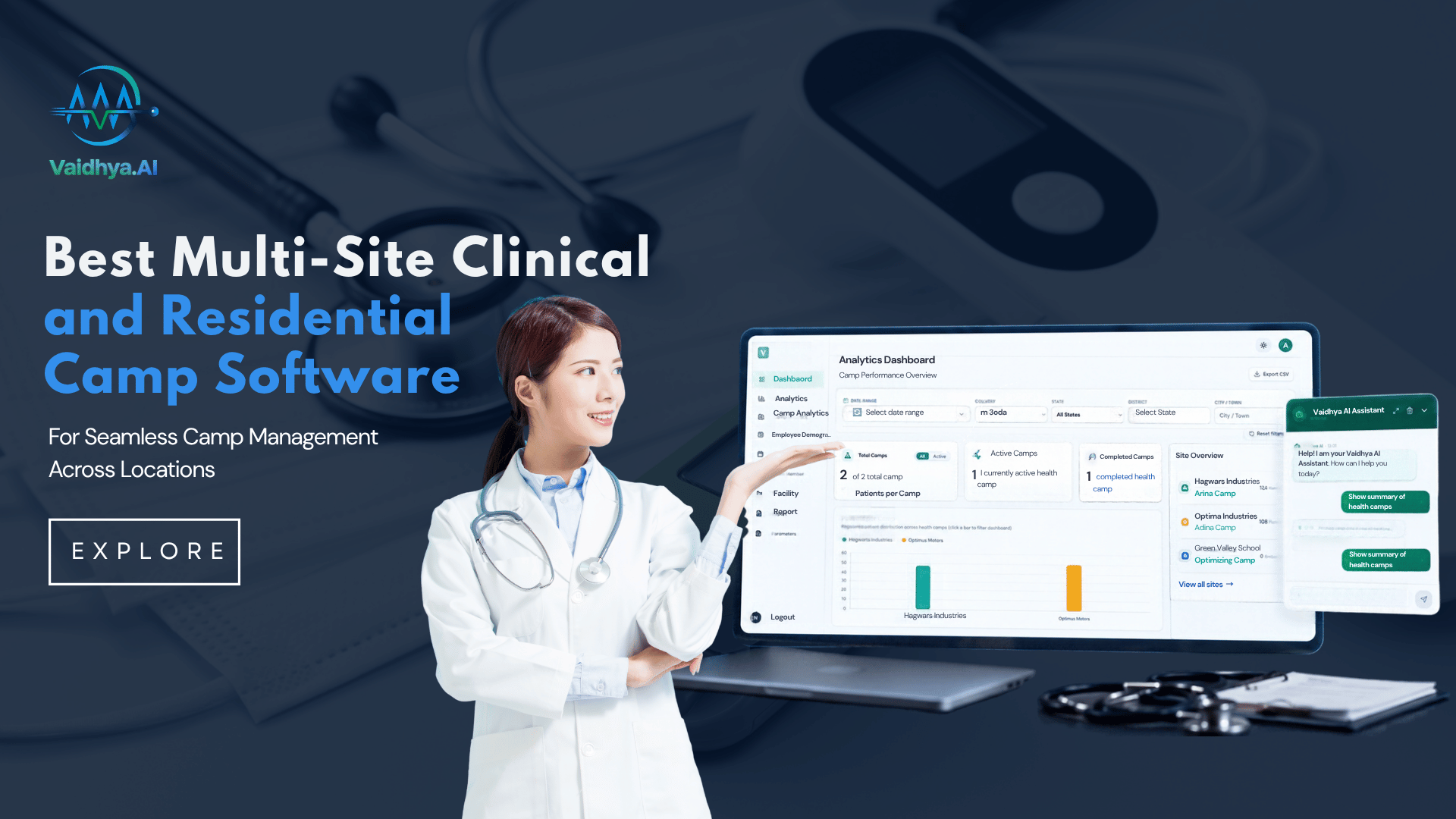
Picture the week before a busy camp season. Rosters are half finished, three coordinators hold three different versions of the patient list, and nobody is sure which housing society still needs a doctor. That scramble is exactly what the Multi-Site Clinical & Residential Camp Software is built to end.
It gives every location one shared view of schedules, patients, and referrals, so growth feels manageable instead of chaotic. If you coordinate camps for a hospital, an NGO, or an employer, this guide shows what to look for and how to roll it out. At Vaidhya.ai, we focus on helping teams bring camp operations, patient records, reporting, and follow-up into a more connected workflow.
What is Multi-Site Clinical & Residential Camp Software
Multi-site clinical and residential camp software enables teams to manage health camps across multiple locations with one system. It combines schedules, patient records and reports instead of keeping them in separate files.
It is useful for hospitals running community screenings, NGOs organizing district wide camps, employers conducting staff checkups and residential associations arranging health screenings. These teams can coordinate their activities across sites through multi-location health camp management.
Every camp is different. Each one has different needs. Hospitals may be more doctor, lab test and referral oriented, while residential societies may be more registration, attendance, time slot and follow-up oriented. Residential Society Health Camps Software helps Organizers to keep recurring events and records organized.
The goal is to connect locations without forcing every camp to follow the same process.
Where Single-Site Habits Start to Break
A process that works well for one camp can become difficult to maintain when several locations are involved. The problems usually show up in small, everyday tasks before they become bigger operational issues.
Calendars That Keep Clashing
Imagine a doctor is scheduled for a screening at one location, but another coordinator has booked the same doctor for a different camp at the same time. A mobile team may even arrive at a venue after the event date has changed.
When schedules are spread across messages, phone calls, and individual spreadsheets, these mistakes are easy to make.The shared calendar is a great way for coordinators to see upcoming camps, availability and conflicts.
Patient Records That Do Not Match
One resident may sign up as ‘R. Kumar’ at one camp and ‘Ravi Kumar’ at another. Someone compiling a report might count those entries as two different people, but they are the same patient.
Repeated inconsistencies make it harder to know how many people the program has reached and what care they may still need. Registration fields can be standardized and record matching processes appropriate to reduce duplicate entries and make patient histories easier to follow.
Referrals That Get Forgotten
A screening identifies a result that needs medical attention. The team records it, shares a note, and moves on to the next patient. A few weeks later, nobody is sure whether the person attended the recommended consultation.
This is where clear referral ownership matters. Teams need to know who is doing the follow up, which cases are still open and what action has been taken. Without that visibility, important work can get lost in the shuffle of routine admin work.
Reports That Take Hours to Prepare
When a funder or senior manager asks for results from every location, someone may have to collect several spreadsheets, check the figures, remove duplicates, and combine everything into a single report.
Apart from taking time, this process leaves room for mistakes. Consistent records and shared reporting can make it easier to review participation, screening outcomes, and follow-up activity without rebuilding the same report every month.
Four Ways Teams Manage Multiple Camps
There is no single setup that suits every health program. The right choice depends on the number of locations, how frequently camps run, and how much coordination is involved after each event.
1. Shared Spreadsheets
For a small program with two or three camps, spreadsheets may be enough. They are familiar, easy to start with, and do not require a major change in how the team works.
The difficulty comes when several people edit different copies of the same file. One coordinator updates a patient list, another changes the schedule, and a third prepares a report using an older version. Spreadsheets still have their place, but the larger the program becomes, the harder it is to keep them consistent.
2. Standalone Camp Applications
Some applications are good for handling registration and basic records at one place. They can handle a hospital or organization that conducts occasional camps with little site coordination.
However, different applications may limit the ability to compare results or follow the same patient at different sites. Staff may still have to export information and then piece it together by hand.
3. A Dedicated Multi-Site Platform
A multi-location customized platform consolidates critical tasks in one system. Teams can work across their camps with shared patient records, schedules, referrals and reports.
This approach is worth considering when a program has both clinical and residential camps, or is considering branching into new areas. Organizations considering their options can look at Vaidhya.ai’s health camp management software and compare its features with their real needs for coordination and reporting.
The critical step is testing the product against real-world workflows, not selecting it based on a feature list alone.
4. A Custom-Built System
Very large organizations may build their own software because they have very specific needs. A Residential Society Health Camps Software can allow you more control over workflow and integrations.
That flexibility comes with a responsibility. The organization must plan for ongoing maintenance, security reviews, updates, and developer support. Before choosing this route, it is worth comparing the long-term effort with the needs a ready-made platform can already meet.
What Changes When Every Site Shares One System
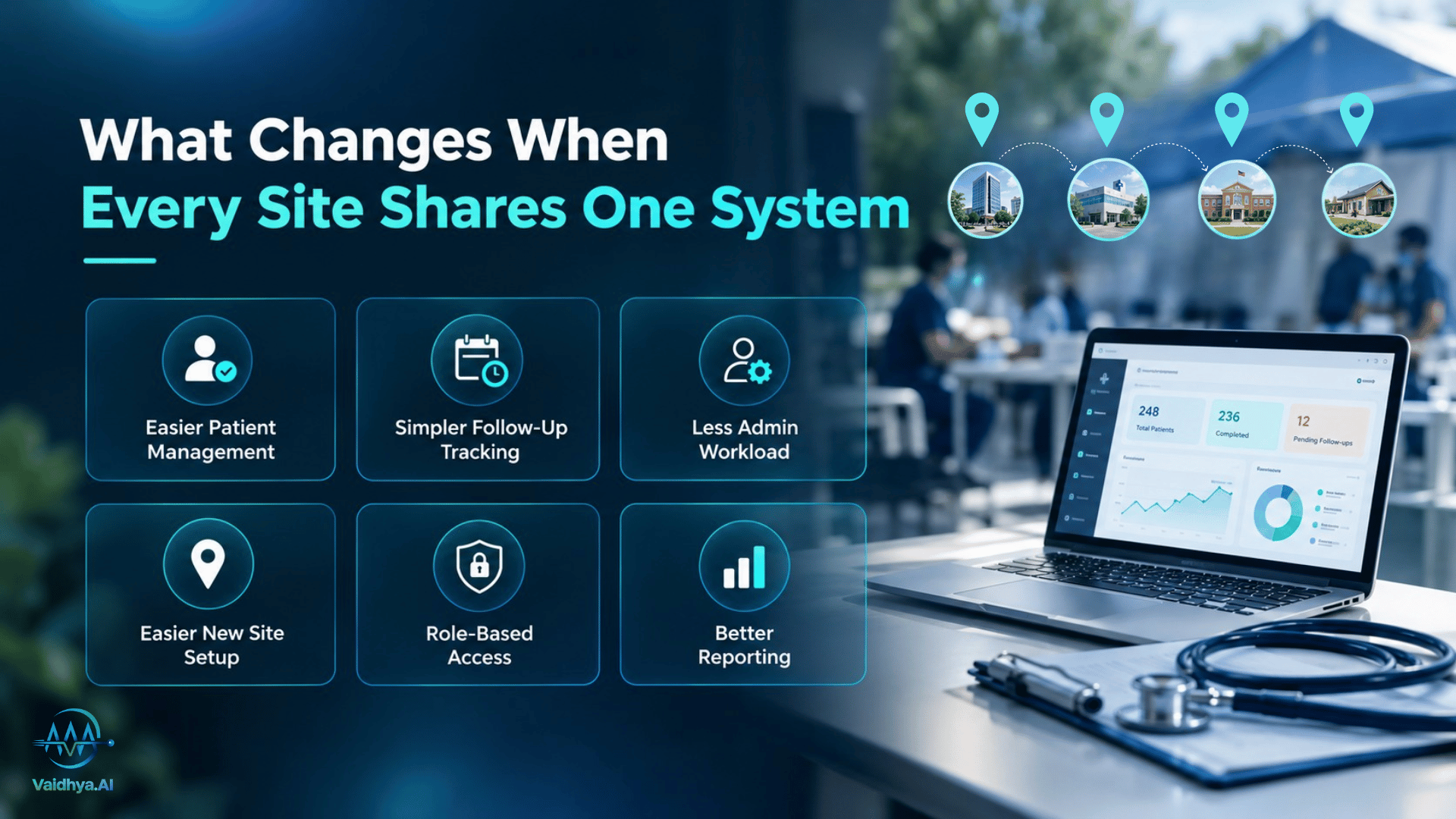
The biggest improvements often appear in the small tasks that staff repeat every day. A shared system can help in several practical ways.
Patient information becomes easier to manage. Standard registration fields and common record structure remove confusion between locations. Staff spend less time looking at whether two entries are for the same person.
Tracking follow-ups is easier. When referral status and responsibility are recorded clearly, teams can identify cases that still need attention. A screening result is less likely to be forgotten after the camp ends.
Coordinators spend less time on administration. Staff no longer need to collect the same information from several files every time a report is due. That means more time for planning, supporting field teams and improving the patient experience.
New locations are easier to organize. When a new hospital, school, office or residential community joins the program, teams are able to build on an existing process, rather than starting from scratch.
Access can be managed more carefully. Different people play different roles on the team. You are able to set up the right role-based permissions so that each person only sees the information they need—and activity records help ensure accountability.
Reports become more useful. Locations that enter information consistently can compare participation, results and pending referrals with more confidence. They can also pinpoint sites that may need more staff or operational support.
Patchwork Tools vs One Platform at a Glance
| Everyday task | Separate tools | Shared platform |
|---|---|---|
| Finding patient history | Check and match several files | Look up a shared record |
| Coordinating camp dates | Confirm details across messages | Review a common calendar |
| Tracking referrals | Contact staff for updates | Review recorded referral status |
| Preparing reports | Combine figures manually | Use information recorded across sites |
| Managing access | Rely on file-sharing practices | Apply permissions by role |
| Adding a location | Create another set of files | Extend the existing workflow |
A shared platform will not solve every operational problem by itself. Teams still need clear procedures, reliable data entry, and staff who understand their responsibilities. The benefit is that the software can make those processes easier to follow.
Choosing Multi-Site Clinical & Residential Camp Software
Choosing software becomes easier when the team knows what it needs before attending a demonstration. These steps can help narrow the options.
1. Map Your Current Camp Process
This is what happens before a camp, during a camp, and after a camp. Include registration, staff allocation, screening, referrals, reporting, and follow-up.
Ask the people doing the work where delays occur. Perhaps a coordinator spends hours correcting patient details, or the team has no reliable way to check whether referrals were completed. These are the problems the new system should help address.
2. Choose the Most Important Features
Different programs need different features. A team that does occasional community screenings may have different priorities than an NGO that runs camps in several districts.
What features are useful for your work? Good starting points include : shared patient records , staff scheduling , referral tracking , reporting , access permissions and multiple location support. Consider things like data privacy, staff training and any systems the platform will need to interface with.
3. Compare Vendors Using the Same Criteria
It is easy to be impressed by a demonstration that shows many features. What matters is whether those features solve your team’s problems.
See a camp software evaluation checklist to compare vendors on record management, reporting, referral tracking, control of access, and ease of use and support. Ask each supplier to perform the same tasks so that you can compare ‘apples with apples’.
If its available features meet your requirements, then add Vaidhya.aito your shortlist. A demonstration using representative camp workflows and forms can help your team understand if the platform is a good fit.
4. Agree on Common Forms and Rules
Before implementation on a new system, identify what data each site needs to collect and how to document it. For example, teams may need common patient information, screening fields, referral types and reporting definitions.
This prep work can feel like an extra job, especially when camps are hectic. However, moving inconsistent information into new software will not automatically fix the underlying problems.
5. Test the System at Two Locations
If possible, begin with one clinical camp and one residential camp. This lets the team see how the software runs in two different settings.
Rather than clicking through a presentation, let the coordinators do normal activities. Can they register patients, search records, review referrals and generate a report without additional steps? Get their feedback and solve the practical problems, before you scale.
6. Review the Results and Adjust
Once you have done the pilot, compare the results with the targets you set before. Look at staff time, duplication of records, delays in reporting and completion of referral.
Not every improvement will happen immediately. Staff may need more training, or a form may need to be simplified. Review what worked, make changes, and use the next camp cycle to see whether those changes help.
Smart Features Worth Asking About
Some features can save time across a large program, but it is important to understand how they work in practice. Ask vendors to demonstrate them using realistic examples.
Duplicate record checks. The system can find records that appear to be for the same person even if the names are entered differently. Staff should be able to view possible matches prior to records being merged.
Referral reminders. Reminders help teams to catch referrals that have been open longer than expected. The process should make it clear who is responsible, instead of having alerts that no one owns.
Clinical alerts. Software can alert when results are outside configured ranges. These alerts can help with the clinical review but only appropriately qualified healthcare professionals are able to interpret the findings and determine the appropriate action.
Cross-site dashboards. Coordinators and managers need an easy way to keep track of camp activity across sites. Ask about how the dashboard displays participation, screening results and pending follow-ups and if users can find what they need without having to manually build reports.
Planning support. Using historical attendance and service data can help teams estimate staffing and materials for upcoming camps. These estimates should be used as input to planning, not as guarantyd outcomes.
AI-assisted data queries. On some platforms, users can ask questions about the recorded camp information. When assessing Vaidhya.ai, think about how its AI chatbot answers camp-data questions, what information it can get to, and how users can check the answers it gives.
Who Benefits Most From a Multi-Site Clinical & Residential Camp Software?
Multi-site software can be useful for different organizations, but each one will have its own way of using it.
Hospital Outreach Teams
For hospitals doing screenings away from their main facilities, there is a need to have a way to manage camp records and identify people who may need to be seen further. A common process can help staff to review findings and plan next steps.
NGOs and Public Health Programs
NGOs often operate in a variety of communities, districts or partner organizations. Reports and consistent record-keeping help them know where camps have been held, how many people were reached, and what follow-up activities are still open.
Employers and Corporate Wellness Teams
Consistent approach to registration and reporting can benefit health checks across multiple offices. Managers can review group-level results while access to individual medical information remains appropriately restricted.
Housing Societies and Township Managers
Residential communities may arrange health camps more than once a year. Good records and schedules help teams plan recurring events and identify residents who need more attention.
Laboratory, Dental, and Eye Care Partners
Specialist providers may participate in camps at several locations. Clear processes for recording results and sharing appropriate information can help reduce paperwork and make it easier to coordinate the next stage of care.
Pitfalls That Can Undermine a Software Rollout
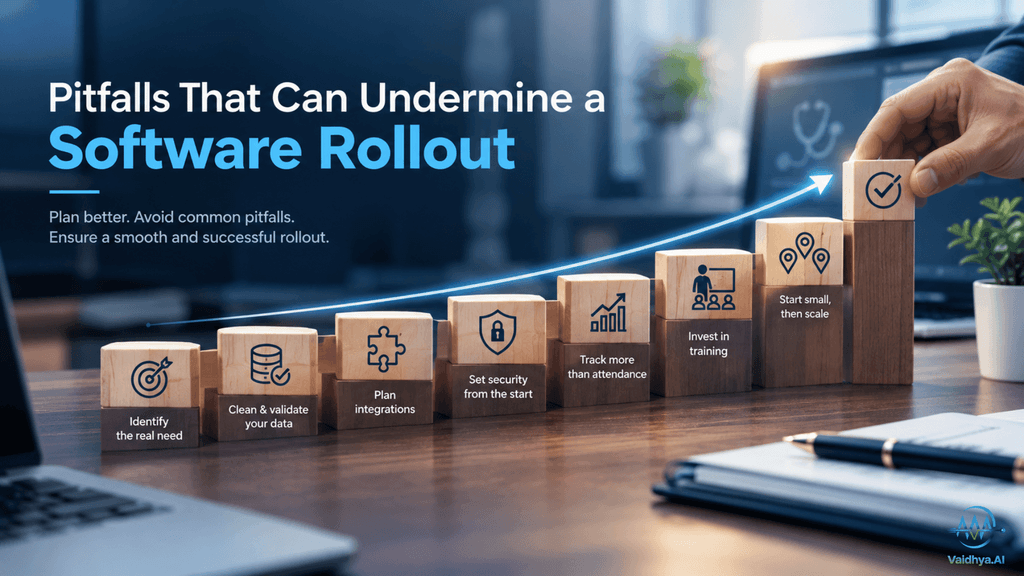
Even a suitable platform can disappoint if the organization overlooks the practical work needed to introduce it.
Choosing software before identifying the problem. A long feature list is not enough. Be clear about what needs to improve and how you will measure it.
Importing inconsistent records without any validation. The new system can also handle duplicates and missing information. Clean and Validate data before migration.
No integration needs at all.If the software has to interface with hospital or lab systems, find out what is supported and how the connection will work.
Leaving security decisions until later. Determine who has access to what information. Check permissions, consent processes and audit records available before launching the system.
Measuring success only by attendance. “A high turnout is encouraging, but doesn’t tell us if people got the follow-up care they needed. Include referral outcomes and other relevant metrics.
Providing too little training. If the new process feels confusing, staff are more likely to revert to their familiar spreadsheets. They can be made familiar with the system by practical training on day to day camp tasks.
Moving every location at once. A small pilot helps the team to discover issues and fix them before they affect the whole program. “Start small and scale when the workflow is ready.
Where Camp Technology Is Heading
Health camp programs are changing as organizations search for better ways to coordinate services and learn their results. There’s a few things to keep an eye on.
More routine tasks are being automated. Tools for recording checks, reminders and reporting can cut down on repetitive work. Teams still have to review key information and decide what to do with it.
Data handling is receiving greater attention. As patient information flows between teams and across locations, there need to be clear rules around access, consent and accountability for organizations.
Residential communities are becoming regular venues for preventive care. Organized schedules and records can be helpful for recurring screenings in apartment complexes and townships, from one event to the next.
Follow-up is becoming a bigger part of camp planning. Screening is just one part of a patient’s care continuum. Programs also need to know whether people who need extra support are being referred to the appropriate services.
Reporting is moving beyond attendance totals. Funders and program leaders may want to understand screening outcomes, referral progress, and the services delivered at different locations. Consistent records make these questions easier to answer.
Take the Next Step
The expanding camp network requires connected records, coordinated schedules, tracked referrals, and reliable reporting. The Best Multi-Site Clinical & Residential Camp Software helps teams manage these needs and gives leaders better information for reviews and decisions.
Start with the workflow that’s causing the most pain today – whether that’s registration, scheduling or referrals. Set clear goals. Test a small pilot and grow as the results warrant.
Learn how Vaidhya.ai’s health camp management software helps coordinate camps across locations, reporting and follow-up. A demo based on your camp requirements can help you determine if it’s right for your team.
FAQs
1. What is multi-site clinical & residential camp software?
It enables teams to coordinate health camps across locations with common records, schedules and reports.
2. Is it possible to control hospital camps and housing society camps on one platform?
Yes, a good platform can support both, as long as the workflows of each camp fit.
3. When it’s time to extract camp data from a spreadsheet
If you’re seeing the same problems over and over again – duplicate entries, delayed reporting and missed follow-ups – it may be time to make the switch.
4. What to expect from a software demo?
Test patient records, referral follow-up, user access, reporting and daily workflow with real life examples.
5.Is there a way to know if the software is working?
Compare staff time, duplication rate, referral completion, and reporting delays pre- and post-implementation.